Classes
Class List
Section titled “Class List”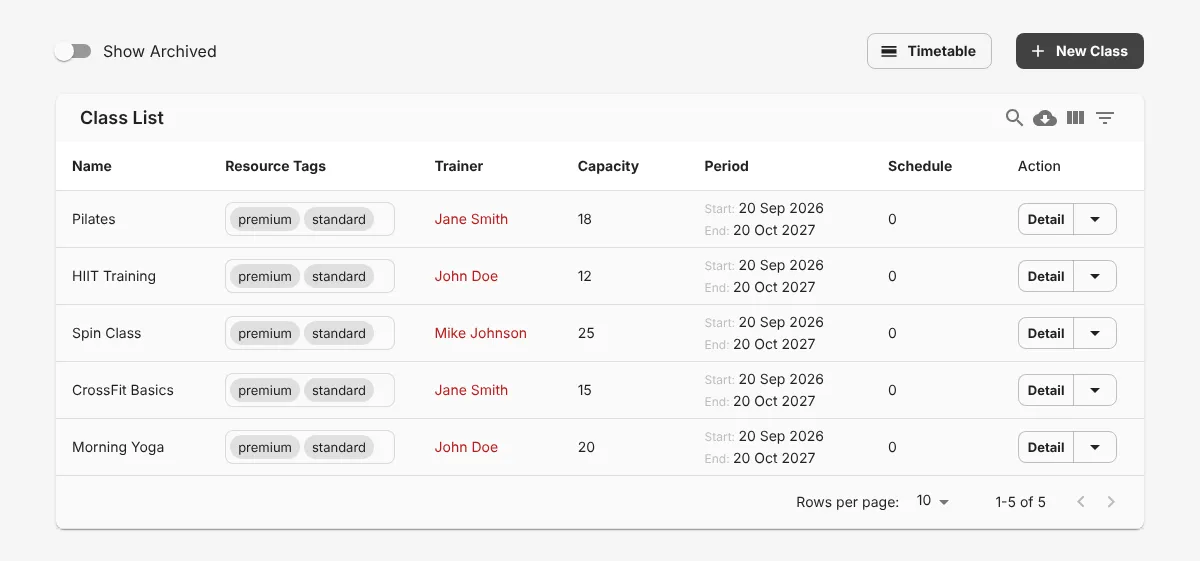
This table shows all the classes you created.
- 1 Click New Class to create a class.
- 2 Click Timetable to see the class schedule.
- 3 Click Detail to see the data of a class.
Create a class
Section titled “Create a class”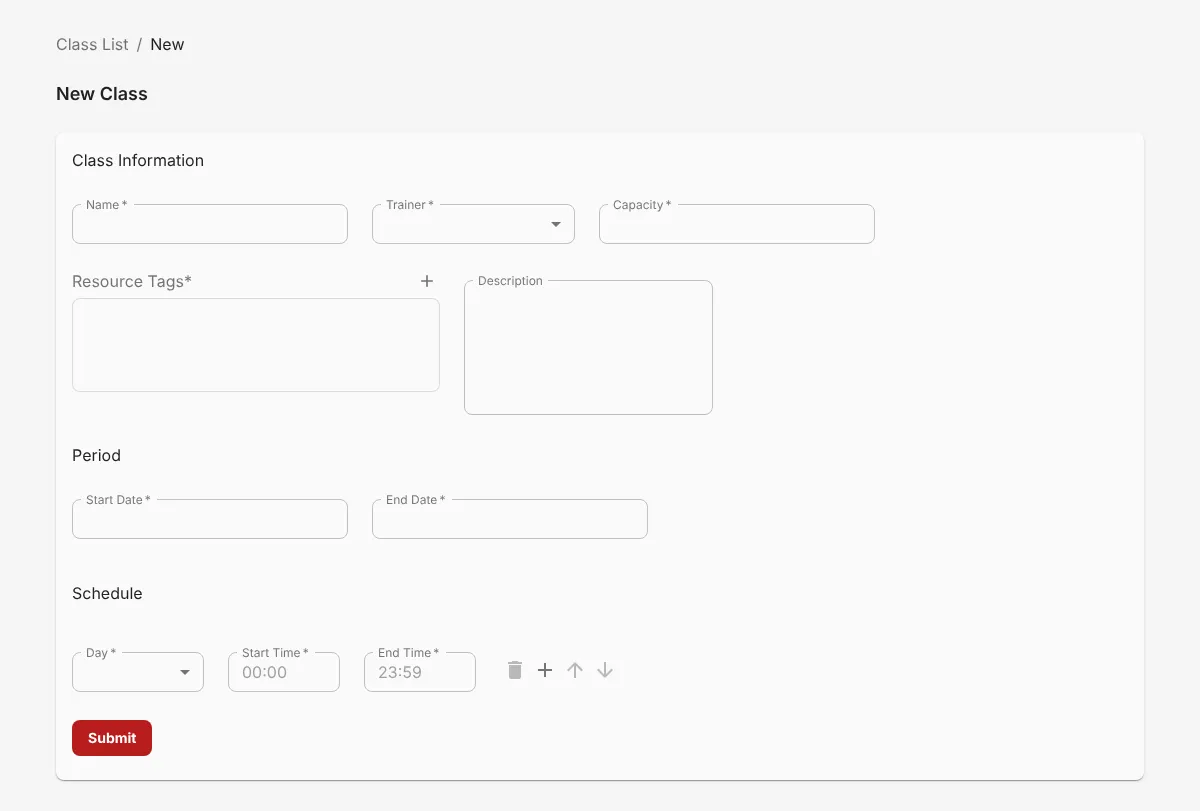
- Click New Class.
- 1 Enter the Name. Then select the 2 Trainer and enter the Capacity. You must add the trainer on the Staffs page first.
- 3 Enter the class period in Start Date and End Date.
- 4 Set the schedule: select the Day, Start Time, and End Time. Click + to add another schedule.
- 5 Click Submit.
The new class shows in the Class List.
Class Timetable
Section titled “Class Timetable”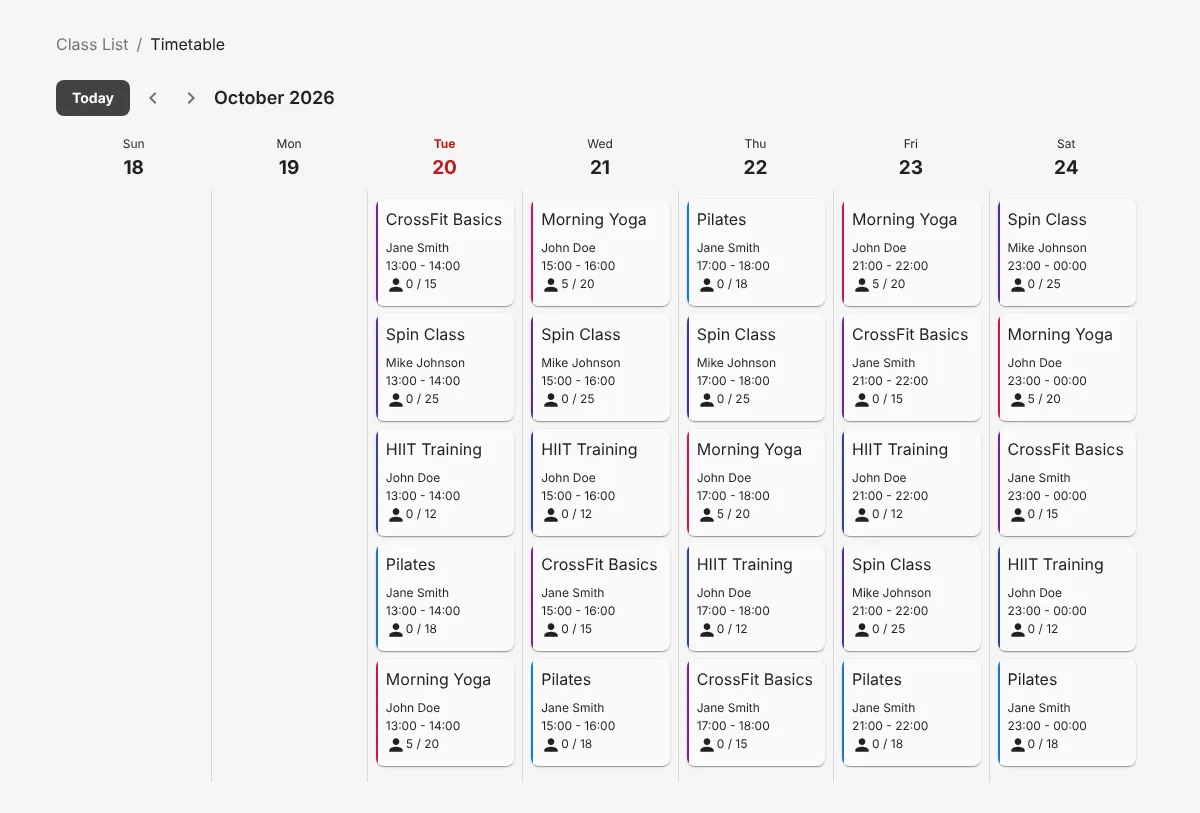
The timetable shows the class schedule for each week.