Memberships
Membership List
Section titled “Membership List”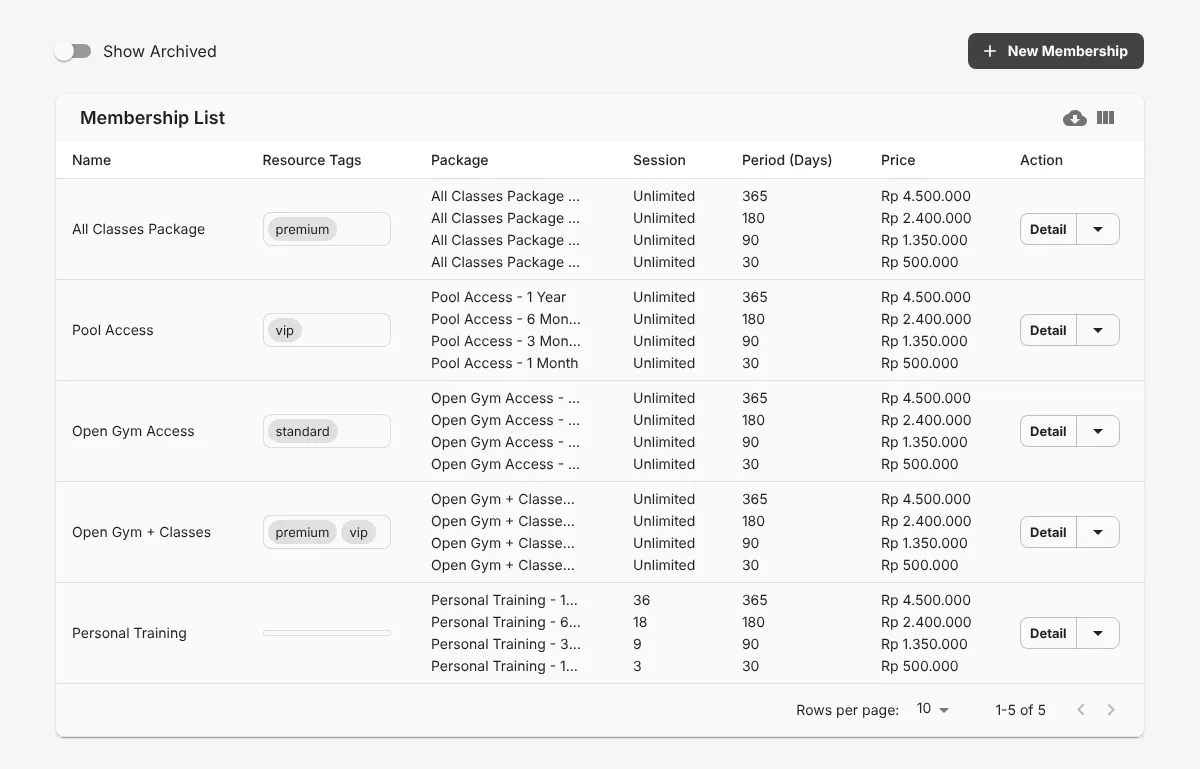
This table shows all memberships with their packages, sessions, periods, and prices.
Create a membership
Section titled “Create a membership”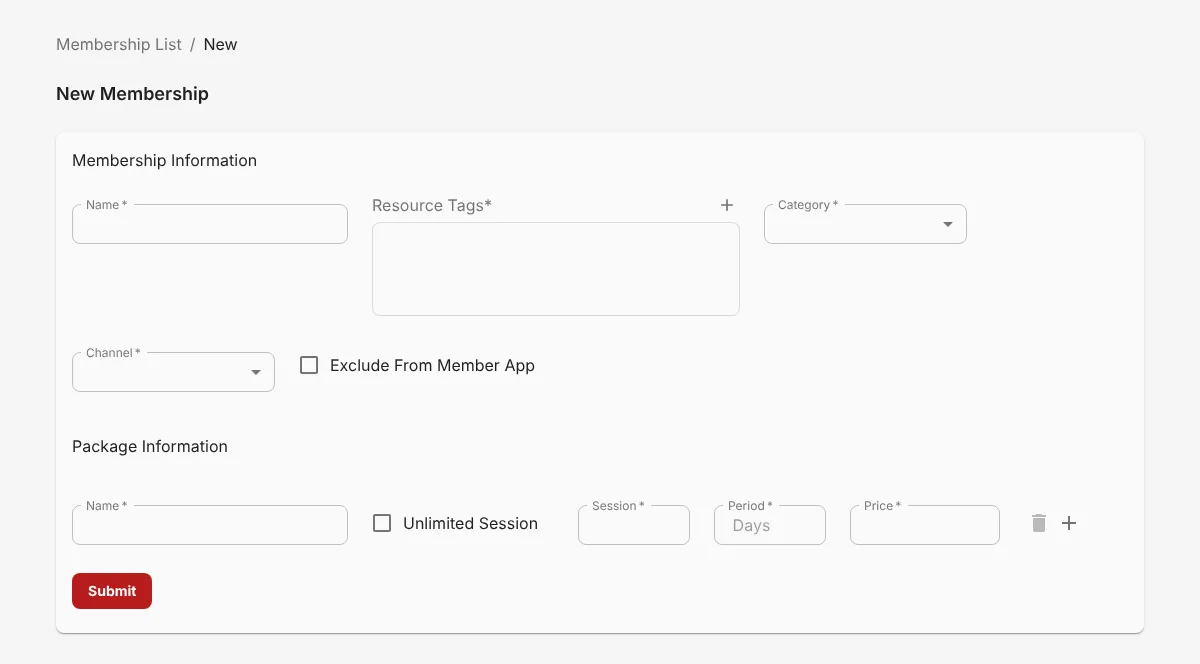
- Click New Membership.
- 1 Enter the Name.
- 2 Select the Resource Tags.
- 3 Select the Category and Channel.
- 4 Fill in the first package: Name, Session, Period, and Price. 5 Select Unlimited Session if the package has no session limit.
- Click + to add another package.
- 6 Click Submit.
Resource Tags
Section titled “Resource Tags”Select the resource tags for this membership. Members who buy this membership can book all trainers, classes, and facilities with the same tag.
Category
Section titled “Category”Select the category that matches the membership at your gym:
- Open Gym
- Class
- All Class
- Open Gym & All Class
- Personal Training
- Facility
Select Exclude From Member App if you sell this membership only in the Business Dashboard.