Business Update
Open this page from Overview with the Detail button.
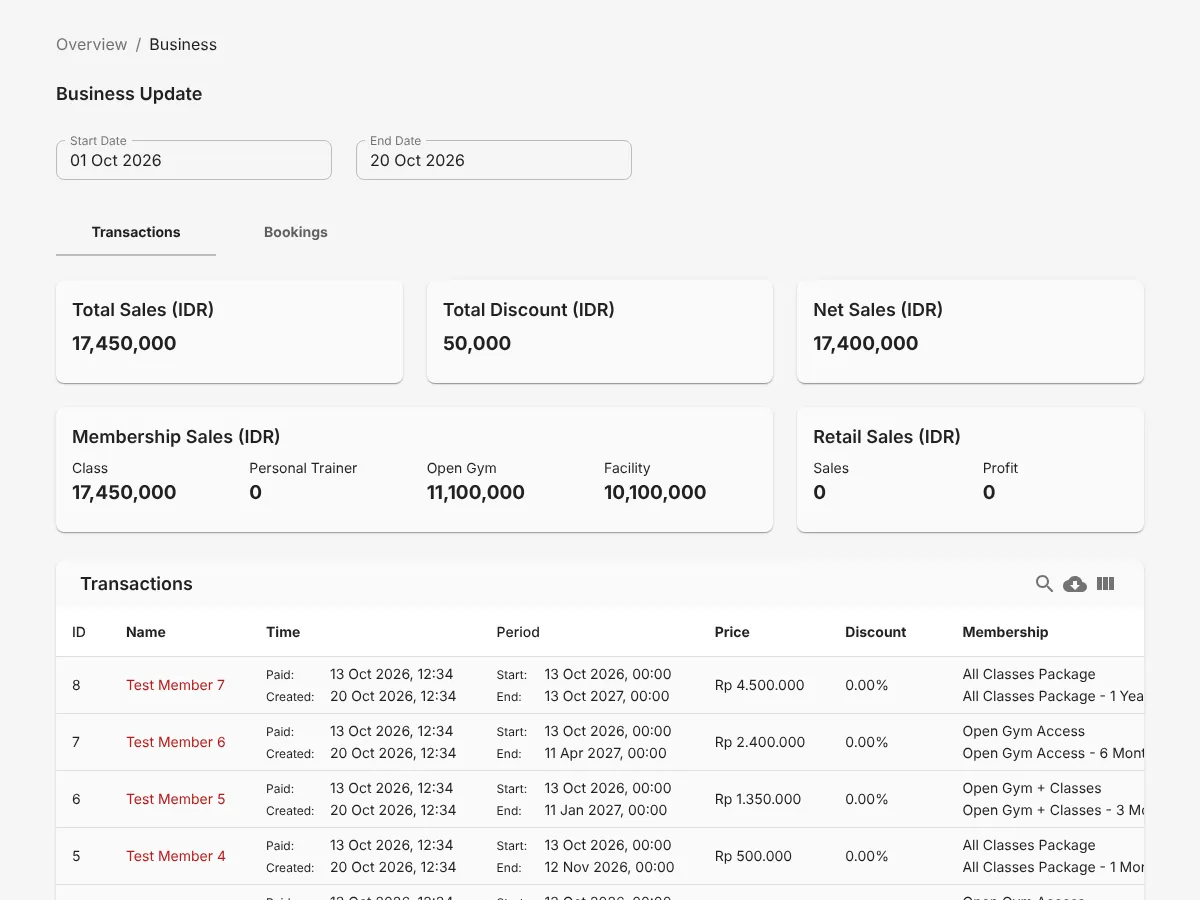
- Select a period in 1 Start Date and 2 End Date. All numbers and tables use that period.
- Select the 3 Transactions or 4 Bookings tab.
Transactions tab
Section titled “Transactions tab”The cards at the top show Total Sales, Total Discount, and Net Sales. The Membership Sales card splits sales by category: Class, Personal Trainer, Open Gym, and Facility. The Retail Sales card shows retail sales and profit.
The Transactions table lists transactions from newest to oldest. Each row shows:
- The member name and payment time.
- The training period.
- The price and discount.
- The membership and payment method.
Bookings tab
Section titled “Bookings tab”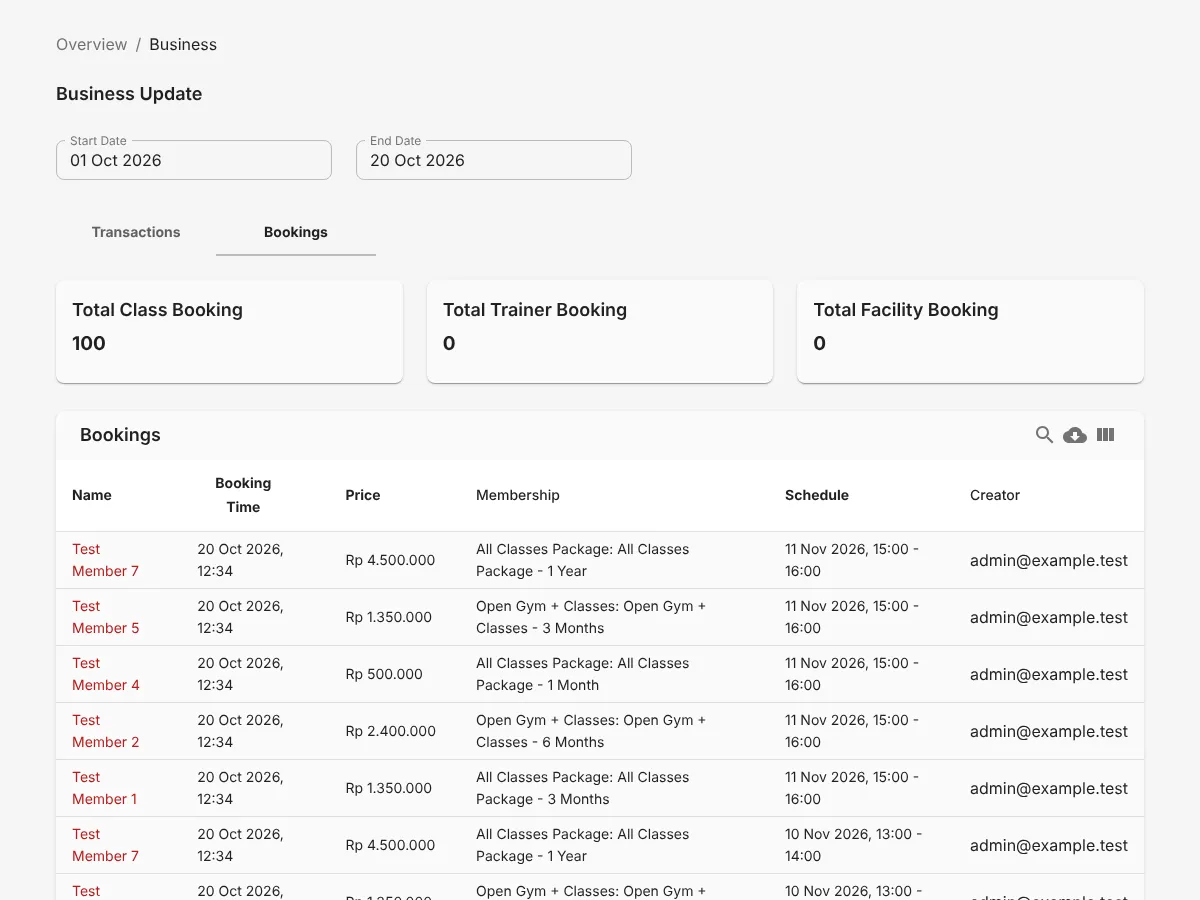
The cards at the top show Total Class Booking, Total Trainer Booking, and Total Facility Booking.
The Bookings table lists bookings from newest to oldest. Each row shows the member name, booking time, price, membership, schedule, and the person who made the booking.